
Invoices your customers pay by card, free for contractors
Bill any customer by email in a couple of minutes. They tap Pay, enter a card on a secure Stripe page, and you're done: no account for them, no checks for you. For bigger jobs, send a quote with a deposit. Redbud Way is free and never takes a cut of your jobs; Stripe's standard fees apply.
Redbud Way charges 0%. When a customer pays you, Stripe's standard fees apply, and Stripe bills them to your own Stripe account (a $300 invoice costs $10.20).
One invoice, from send to paid
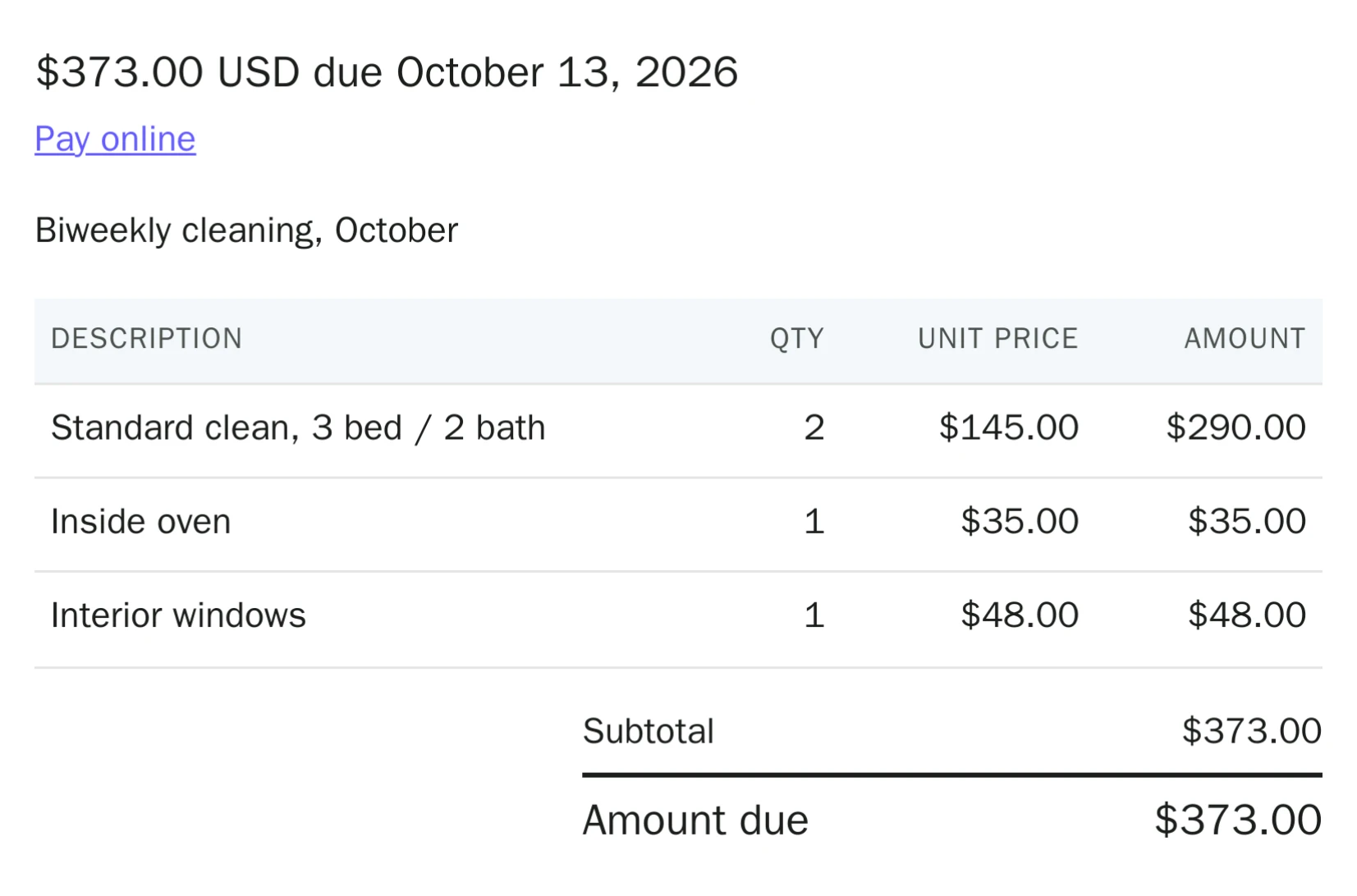
Brightside Home Cleaning bills Maria Lopez $373 for October’s cleans.
You send it
Add your customer’s email and the line items, then send. This is the preview of what goes out.
They pay from the email
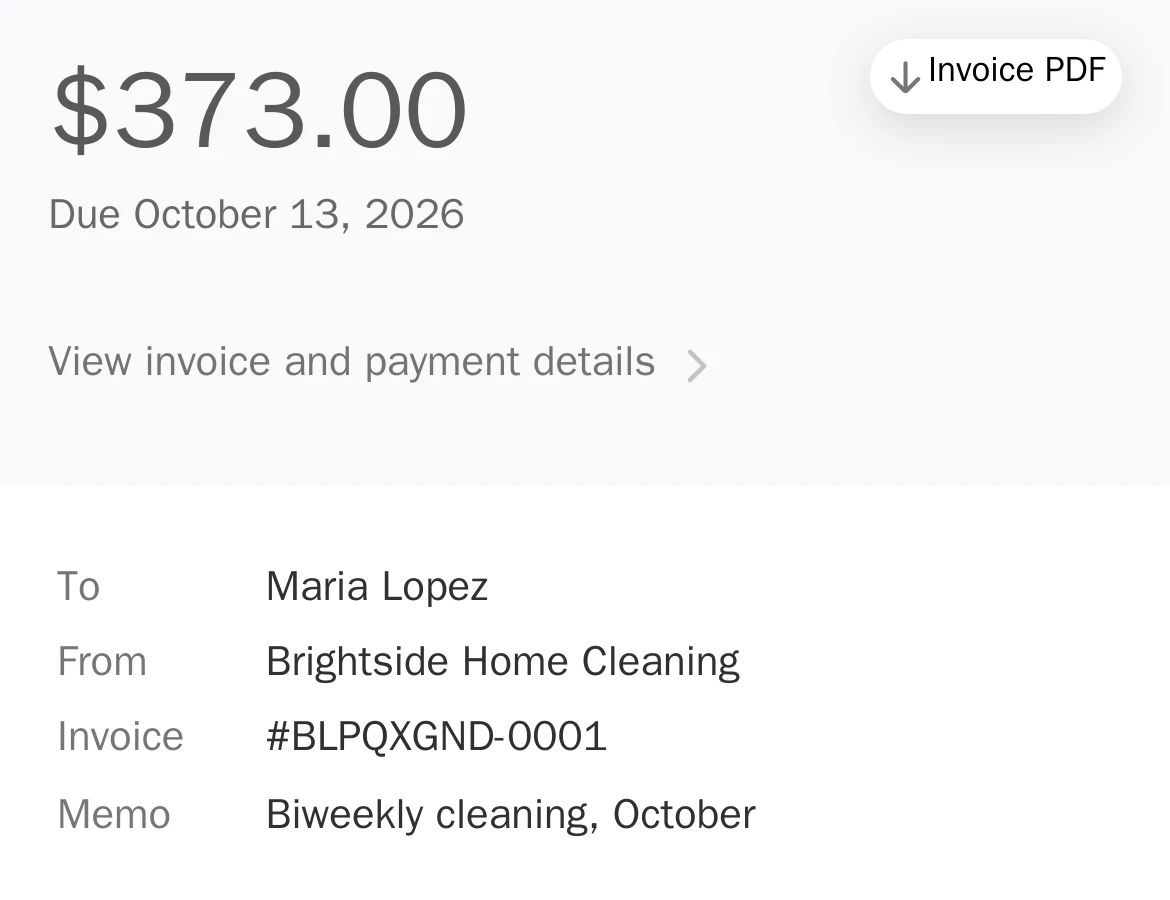
The email’s Pay button opens this page. Your customer pays by card, with no account to create.
It shows up paid
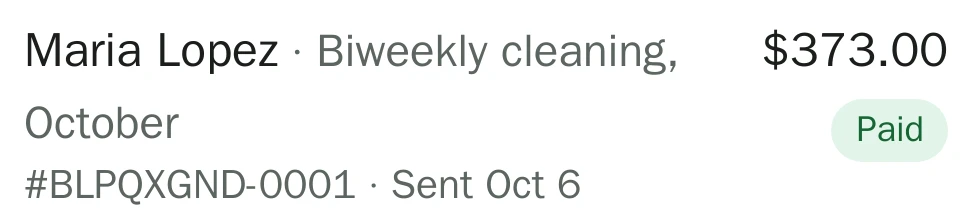
You get an email the moment it’s paid. Stripe pays out to your bank about two business days later.
Built for local service businesses
Any trade that bills customers and wants to be paid by card instead of by check.
- Home repair & handyman
- Lawn & landscaping
- Plumbing & pipe work
- HVAC & air conditioning
- Electrical & wiring
- House cleaning
- Pool service
- Moving & hauling
- Pet care & dog walking
Quotes, recurring billing, and reviews
Quotes with deposits
For bigger jobs, email a quote. Your customer accepts it and pays a deposit first, then the balance when the work is done.
Recurring billing
Customers sign up once for weekly, monthly, or yearly service and their card is charged on schedule. See it for a cleaning route.
- Google review requests. After a customer pays, Redbud Way emails them a link to review you on Google. How they work.
- A customer list you don't maintain. Everyone you bill is saved with their invoices, quotes, bookings, and refunds.
- Service links. Optional pages where customers request a quote or book a fixed-price service and pay online.
Free invoice templates and tools
Fill in a free contractor invoice template or one for plumbing, electrical, HVAC, handyman, roofing, painting, landscaping, or cleaning work. Price jobs with the markup calculator, or browse all free tools. No account needed.

Who's behind it
I'm Adam Williams, a software engineer. I built Redbud Way so small service businesses can get paid by card without paying for software they don't need. Your payments run on your own Stripe account, so your money never passes through us. Questions? Email me at service@redbudway.com and I'll answer myself.
Common questions
- How do I send an invoice to a customer?
- Sign in, choose Send an invoice, add your customer’s email and the line items, and send. Your customer gets an email with a Pay button that opens the invoice, and they pay in full by card with no account. You get an email when it’s paid.
- How do my customers pay?
- By card, on a secure Stripe invoice page they open from the email. They don’t create an account, and they get a receipt. Quotes work the same way after the customer accepts.
- Can I take a deposit before I start the job?
- Yes, with a quote. Set a deposit percentage and your customer pays the deposit when they accept, then the balance when the job is done. Invoices are for collecting the full amount.
- What does Redbud Way cost?
- Redbud Way has no subscription and a 0% platform fee, so it never takes a cut of your jobs. Stripe’s standard fees apply to the payments you collect, and Stripe bills them to your own Stripe account. On an invoice that is 2.9% + 30¢ card processing plus 0.4% Stripe Invoicing, so a $300 invoice costs $10.20 in Stripe fees and you receive $289.80. The full fee table is on the pricing page.
- How fast do I get paid?
- Stripe pays out to your linked bank automatically, about two business days after each payment. Your first payout typically takes 7 to 14 days while Stripe verifies your account. There are no checks to deposit.
- Does Redbud Way keep track of my customers?
- Yes. Everyone you invoice, quote, or book is saved to your customer list automatically, with their history: invoices, quotes, bookings, recurring plans, and refunds. When you bill someone again, pick them from the list instead of retyping their email. You can add customers by hand too.
- Can Redbud Way ask my customers for Google reviews?
- Yes, automatically and for free. Save your Google review link in Settings, and after a customer pays, Redbud Way emails them a review request from your business name: 2 hours, 1 day, or 3 days later, your choice. Every customer gets the same request, as Google requires, at most once every 90 days, with a link to opt out.
- Do I need to set up listings first?
- No. You can send an invoice or a quote to any customer by email, no listing needed. Customers can also request quotes from your quote pages, and fixed-price services are optional.
Send your first invoice today
Create a free account and send your first invoice in a couple of minutes.